examstrack logo

You have a Microsoft 365 subscription that contains the administrative units shown in the following table.
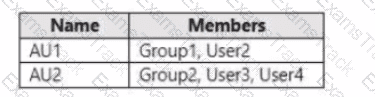
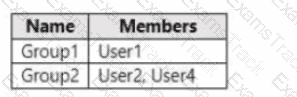
The groups contain the members shown in the following table.
The users are assigned the roles shown in the following table.
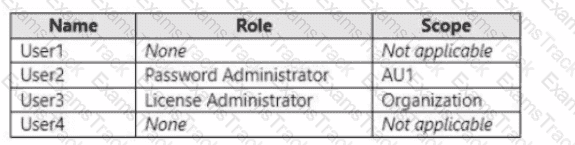
For each of the following statements, select Yes if the statement is true. Otherwise, select No.
NOTE; Each correct selection is worth one point.

You need to configure the compliance settings to meet the technical requirements.
What should you do in the Microsoft Endpoint Manager admin center?
You work at a company named Contoso, Ltd.
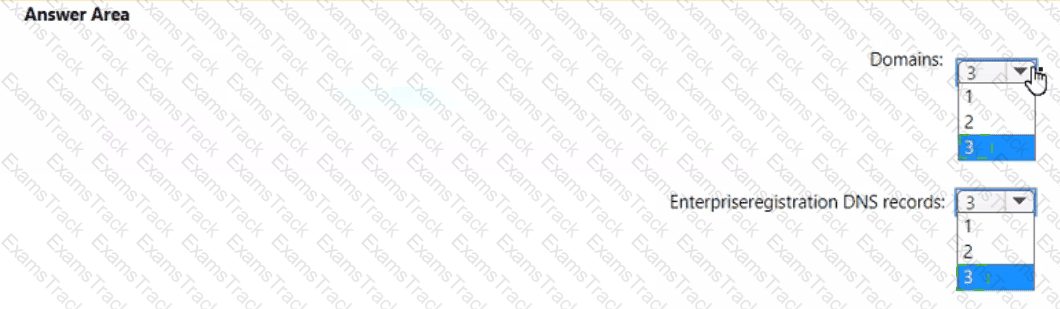
Contoso has a Microsoft 365 subscription that is configured to use the DNS domains shown in the following table.
Contoso purchases a company named Fabrikam, Inc.
Contoso plans to add the following domains to the Microsoft 365 subscription:
• fabrikam.com
• east.fabrikam.com
• west.contoso.com
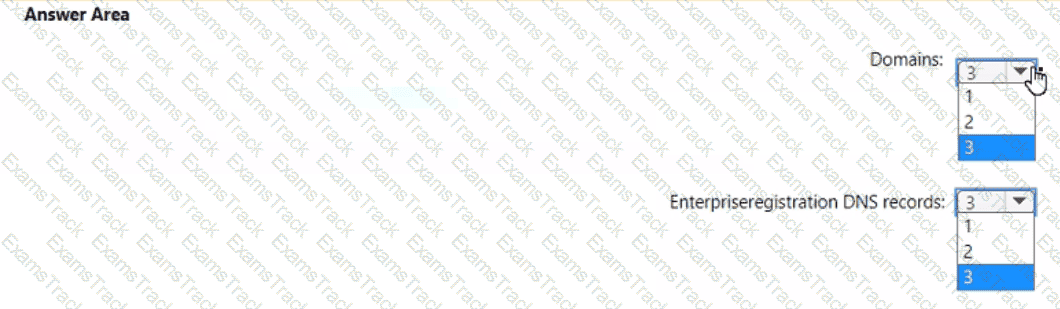
You need to ensure that the devices in the new domains can register by using Autodiscover.
How many domains should you verify, and what is the minimum number of enterprise registration DNS records you should add? To answer, select the appropriate options in the answer area.
NOTE: Each correct selection is worth one point.
You need to protect the U.S. PII data to meet the technical requirements.
What should you create?
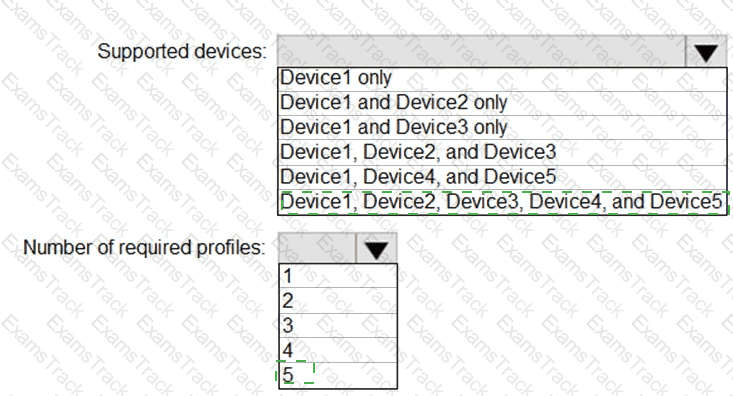
You plan to implement the endpoint protection device configuration profiles to support the planned changes.
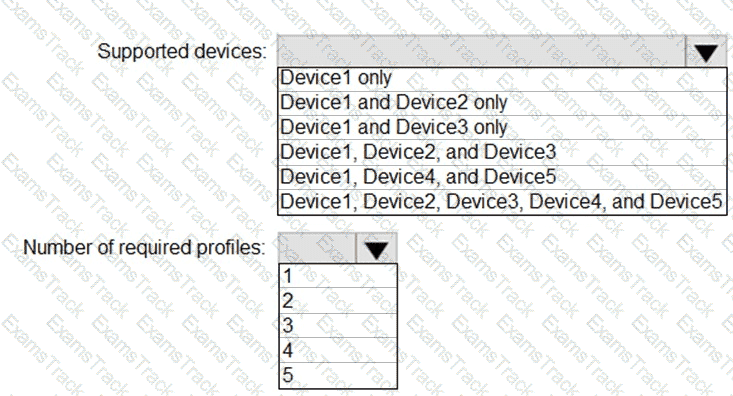
You need to identify which devices will be supported, and how many profiles you should implement.
What should you identify? To answer, select the appropriate options in the answer area.
NOTE: Each correct selection is worth one point.
You need to configure Office on the web to meet the technical requirements.
What should you do?
You need to create the DLP policy to meet the technical requirements.
What should you configure first?
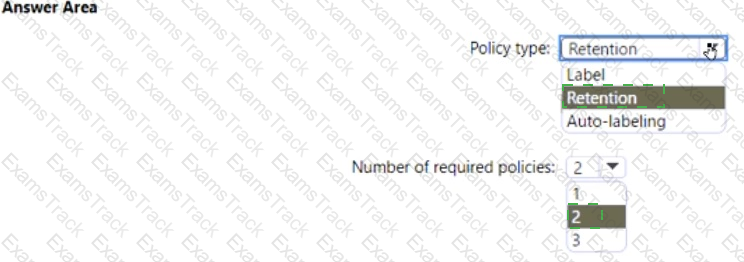
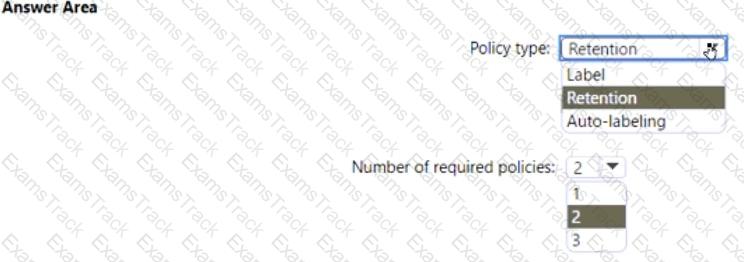
You need to configure the information governance settings to meet the technical requirements.
Which type of policy should you configure, and how many policies should you configure? To answer, select the appropriate options in the answer area.
NOTE: Each correct selection is worth one point.
You create the planned DLP policies.
You need to configure notifications to meet the technical requirements.
What should you do?
You need to create the Safe Attachments policy to meet the technical requirements.
Which option should you select?
|
PDF + Testing Engine
|
|---|
|
$43.75 |
|
Testing Engine
|
|---|
|
$33.75 |
|
PDF (Q&A)
|
|---|
|
$28.75 |
Microsoft Free Exams |
|---|

|

Copyright © 2026 Examstrack. All Rights Reserved

TESTED 05 Oct 2026