examstrack logo

You have a Microsoft 365 tenant that contains 500 Windows 10 devices and a Microsoft Endpoint Manager device compliance policy.
You need to ensure that only devices marked as compliant can access Microsoft Office 365 apps.
Which policy type should you configure?
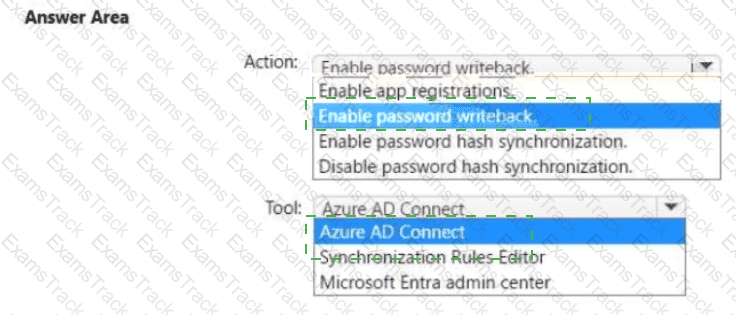
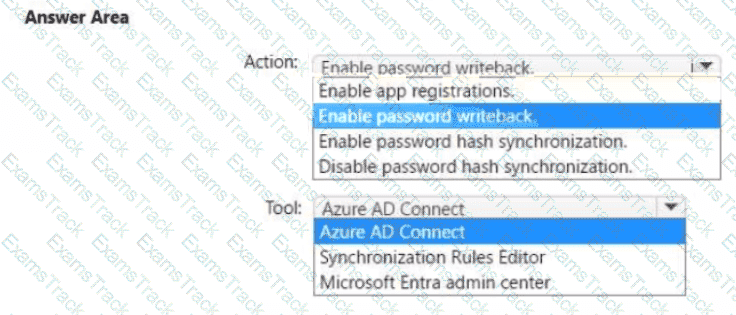
You need to ensure that Admin4 can use SSPR.
Which tool should you use. and which action should you perform? To answer, select the appropriate options m the answer area.
NOTE: Each correct selection is worth one point.
You need to configure just in time access to meet the technical requirements.
What should you use?
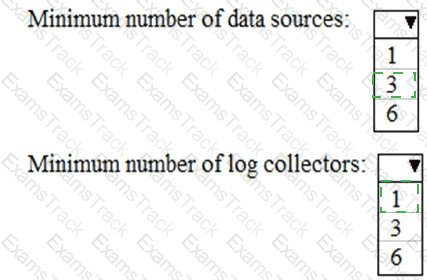
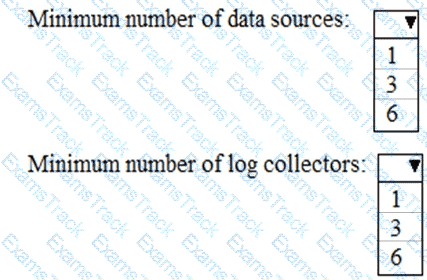
You need to meet the technical requirement for log analysis.
What is the minimum number of data sources and log collectors you should create from Microsoft Cloud App Security? To answer, select the appropriate options in the answer area.
NOTE: Each correct selection is worth one point.
You need to meet the technical requirement for the EU PII data.
What should you create?
You need to meet the technical requirement for large-volume document retrieval. What should you create?
You need to recommend a solution for the security administrator. The solution must meet the technical requirements.
What should you include in the recommendation?
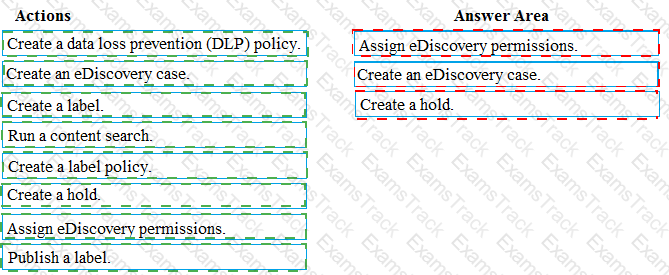
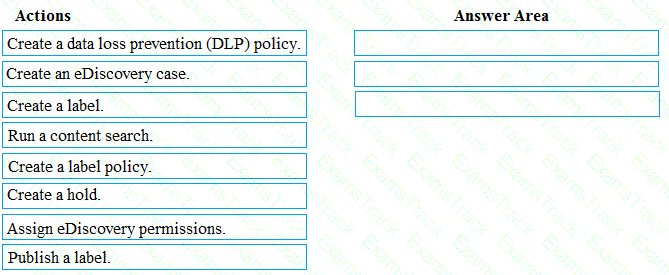
You need to meet the requirement for the legal department.
Which three actions should you perform in sequence from the Security & Compliance admin center? To answer, move the appropriate actions from the list of actions to the answer area and arrange them in the correct order.
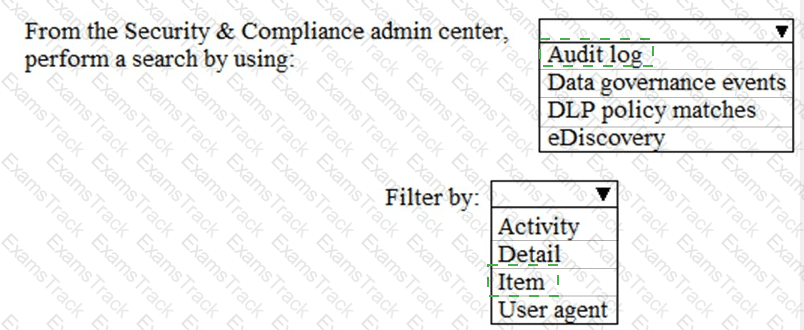
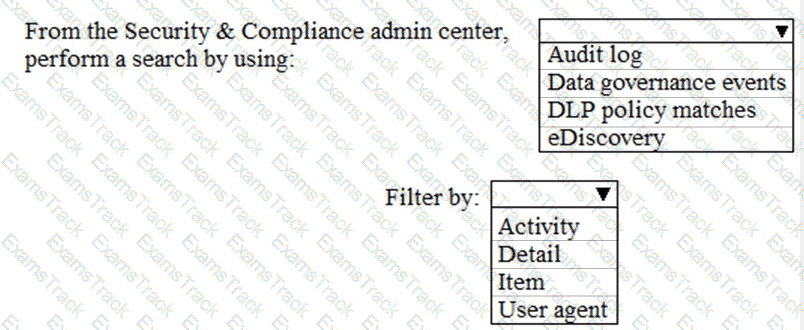
You need to meet the technical requirement for the SharePoint administrator. What should you do? To answer, select the appropriate options in the answer area. NOTE: Each correct selection is worth one point.
Note: This question is part of a series of questions that present the same scenario. Each question in the series contains a unique solution that might meet the stated goals. Some question sets might have more than one correct solution, while others might not have a correct solution.
After you answer a question in this section, you will NOT be able to return to it. As a result, these questions will not appear in the review screen.
You have a Microsoft 365 E5 subscription.
You create an account for a new security administrator named SecAdmin1.
You need to ensure that SecAdmin1 can manage Microsoft Defender for Office 365 settings and policies for Microsoft Teams, SharePoint, and OneDrive.
Solution: From the Microsoft 365 admin center, you assign SecAdmin1 the Exchange admin role.
Does this meet the goal?
|
PDF + Testing Engine
|
|---|
|
$52.5 |
|
Testing Engine
|
|---|
|
$40.5 |
|
PDF (Q&A)
|
|---|
|
$34.5 |
Microsoft Free Exams |
|---|

|

Copyright © 2026 Examstrack. All Rights Reserved

TESTED 05 Oct 2026