Pre-Winter Sale Limited Time 70% Discount Offer - Ends in 0d 00h 00m 00s - Coupon code: 70track

Free Microsoft MD-102 Practice Exam with Questions & Answers | Set: 5

Questions 41

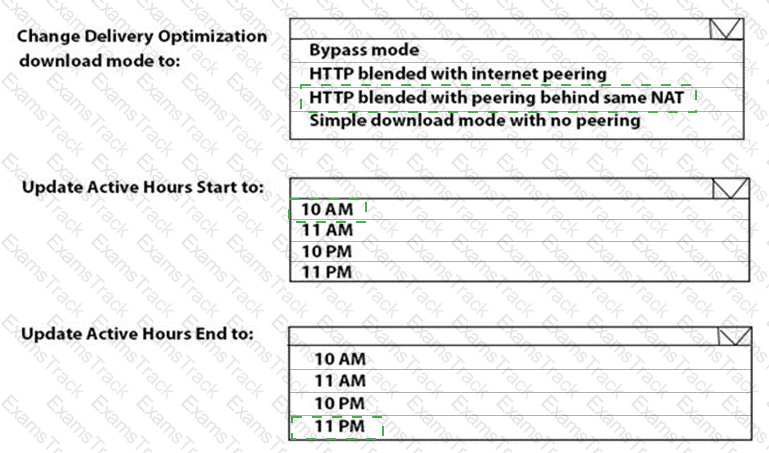
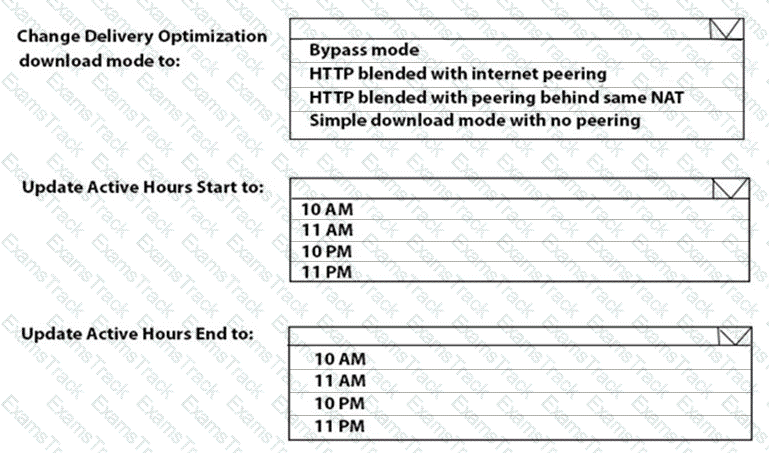
You need to resolve the performance issues in the Los Angeles office.

How should you configure the update settings? To answer, select the appropriate options in the answer area.

NOTE: Each correct selection is worth one point.
MD-102 Question 41

Options:
Microsoft MD-102 Premium Access
Questions 42

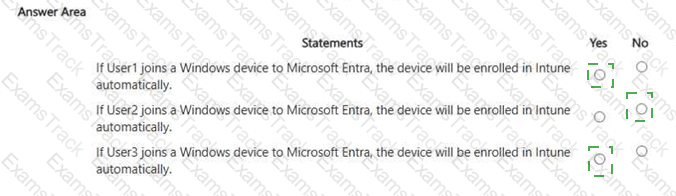
For each of the following statements, select Yes if the statement is true. Otherwise, select No. NOTE: Each correct selection is worth one point.

MD-102 Question 42

Options:
Questions 43

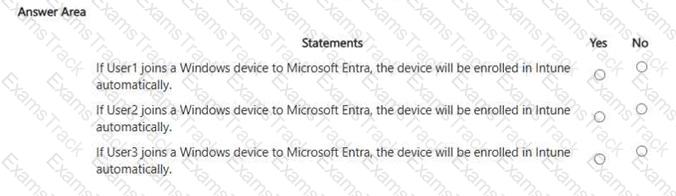
For each of the following statements, select Yes if the statement is true. Otherwise, select No. NOTE: Each correct selection is worth one point
MD-102 Question 43

Options:
Questions 44

You need to meet the requirements for the MKG department users.

What should you do?

Options:
A.

Assign the MKG department users the Purchaser role in Microsoft Store for Business

B.

Download the APPX file for App1 from Microsoft Store for Business

C.

Add App1 to the private store

D.

Assign the MKG department users the Basic Purchaser role in Microsoft Store for Business

E.

Acquire App1 from Microsoft Store for Business

Questions 45

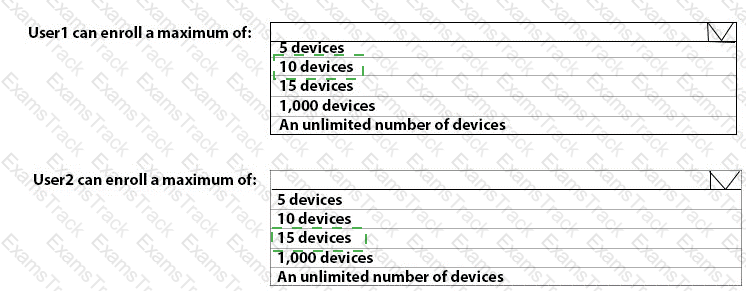
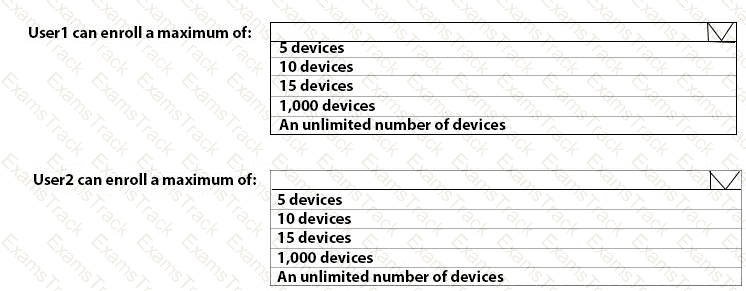
What is the maximum number of devices that User1 and User2 can enroll in Intune? To answer, select the appropriate options in the answer area.

NOTE: Each correct selection is worth one point.
MD-102 Question 45

Options:
Questions 46

You need to prepare for the deployment of the Phoenix office computers.

What should you do first?

Options:
A.

Extract the hardware ID information of each computer to a CSV file and upload the file from the Devices settings in Microsoft Store for Business.

B.

Generalize the computers and configure the Mobility (MDM and MAM) settings from the Azure ActiveDirectory blade in the Azure portal.

C.

Generalize the computers and configure the Device settings from the Azure Active Directory blade in the Azure portal.

D.

Extract the hardware ID information of each computer to an XLSX file and upload the file from the Devices settings in Microsoft Store for Business.

Questions 47

You need to meet the technical requirements for the iOS devices.

Which object should you create in Intune?

Options:
A.

A compliance policy

B.

An app protection policy

C.

A Deployment profile

D.

A device configuration profile

Questions 48

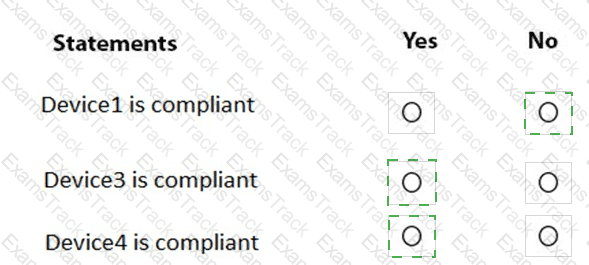
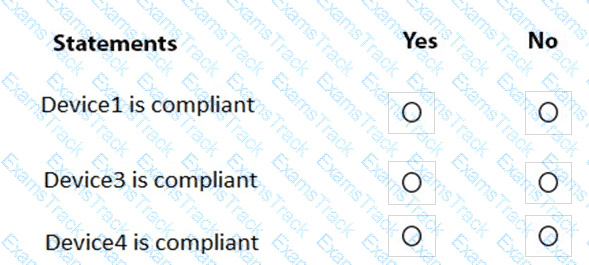
You are evaluating which devices are compliant.

For each of the following statements, select Yes if the statement is true. Otherwise, select No.

NOTE: Each correct selection is worth one point.
MD-102 Question 48

Options:
Questions 49

You need to prepare for the deployment of the Phoenix office computers.

What should you do first?

Options:
A.

Generalize the computers and configure the Mobility (MDM and MAM) settings from the Azure Active Directory admin center.

B.

Extract the hardware ID information of each computer to a CSV file and upload the file from the Microsoft Intune blade in the Azure portal.

C.

Extract the hardware ID information of each computer to an XML file and upload the file from the Devices settings in Microsoft Store for Business.

D.

Extract the serial number information of each computer to a CSV file and upload the file from the Microsoft Intune blade in the Azure portal.

Questions 50

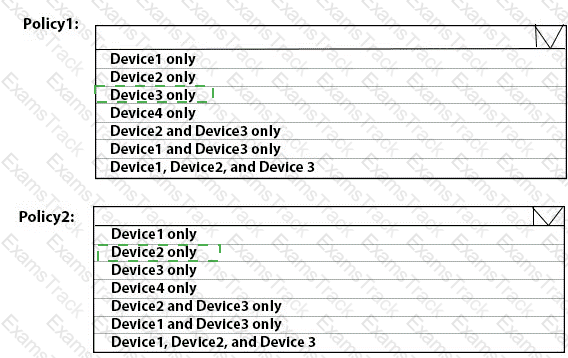
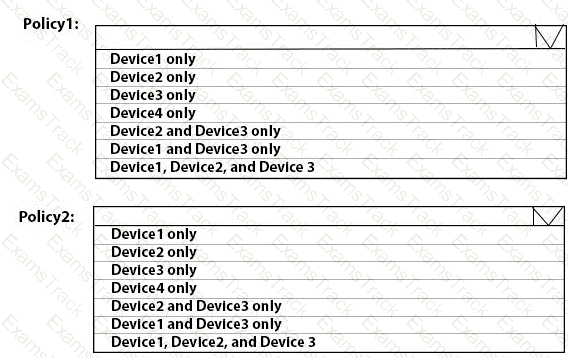
To which devices do Policy1 and Policy2 apply? To answer, select the appropriate options in the answer area.

NOTE: Each correct selection is worth one point.
MD-102 Question 50

Options: