examstrack logo

During the SAML negotiation process, in which section does the Identity Provider (IdP) provide the SAML attributes used in the authentication process to the Service Provider (SP)?
Which two statements are true regarding heartbeat messages sent from an FSSO collector agent to FortiGate? (Choose two.)
Refer to the exhibit.

An administrator has configured a firewall policy to use proxy-based inspection mode. What could explain the messages observed in the debug flow output?
In IKEv2, which exchange establishes the first CHILD_SA?
Refer to the exhibit, which shows a partial web filter profile configuration.
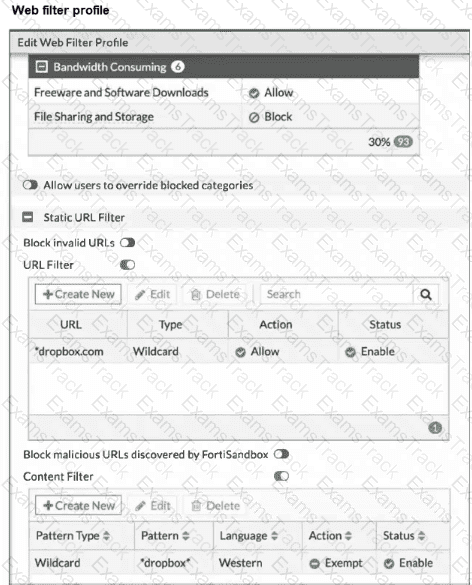
The URL www.dropbox.com is categorized as File Sharing and Storage.
Which action does FortiGate take if a user attempts to access www.dropbox.com?
Refer to the exhibit, which shows partial outputs from two routing debug commands.
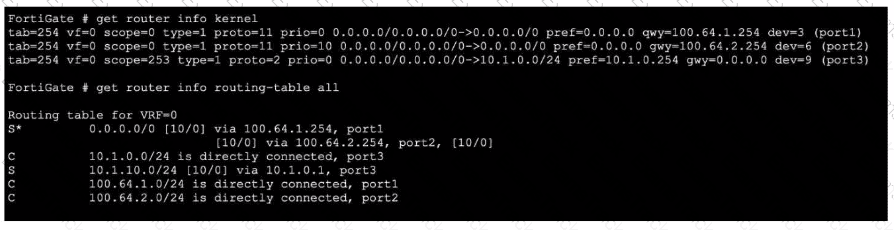
Which change must an administrator make on FortiGate to route web traffic from internal users to the internet, using ECMP?
Which statement about protocol options is true?
Refer to the exhibits, which contain the partial configurations of two VPNs on FortiGate.
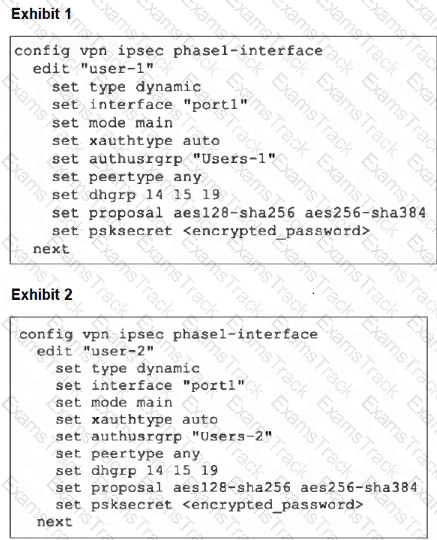
An administrator has configured two VPNs for two different user groups. Users who are in the Users-2 group are not able to connect to the VPN. After running a diagnostics command, the administrator discovers that FortiGate is not matching the user-2 VPN for members of the Users-2 group.
Which two changes must the administrator make to fix the issue? (Choose two.)
Refer to the exhibit.
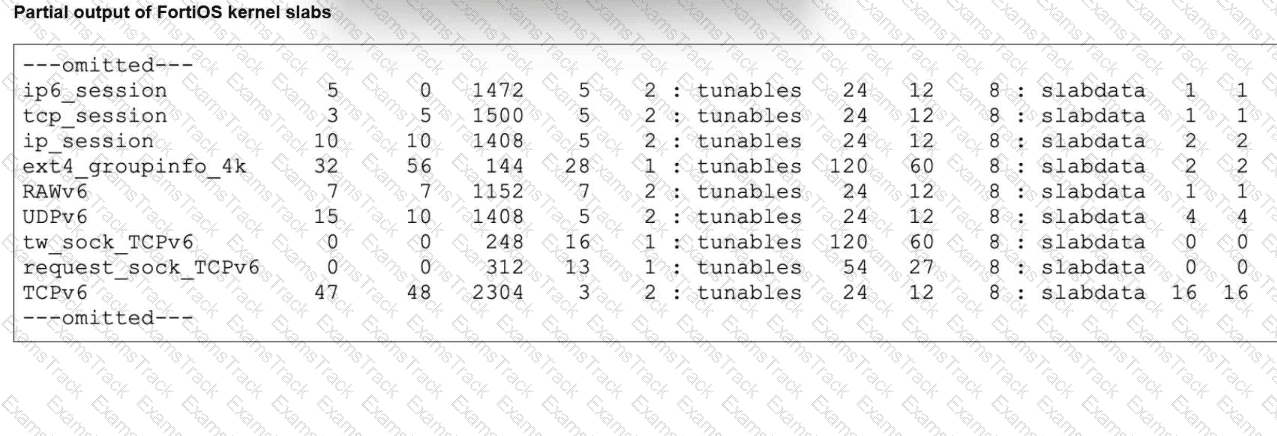
The partial output of FortiOS kernel slabs is shown. Which statement about total slab size is true?
Refer to the exhibit.
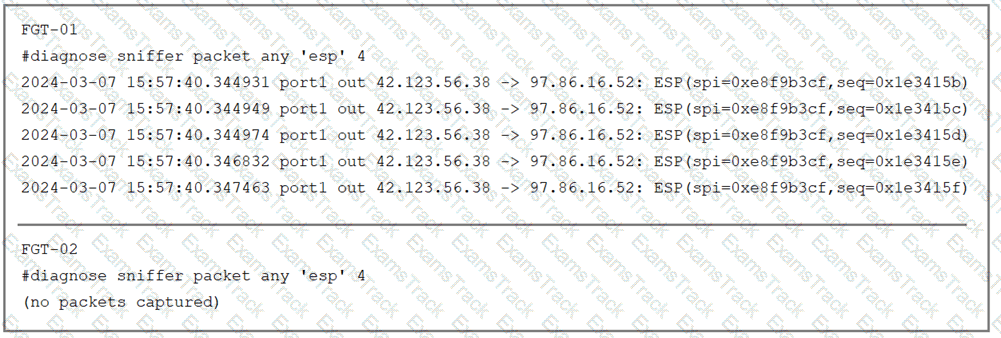
The sniffer log on two FortiGate devices are shown. Based on the information in the log, which two factors explain the output on FortiGate FGT-02? (Choose two answers)
|
PDF + Testing Engine
|
|---|
|
$49.5 |
|
Testing Engine
|
|---|
|
$37.5 |
|
PDF (Q&A)
|
|---|
|
$31.5 |
Fortinet Free Exams |
|---|
|

Copyright © 2026 Examstrack. All Rights Reserved

TESTED 05 Oct 2026
