examstrack logo

You use Microsoft 365 Copilot to generate a training plan.
You need to check if there are any existing training plans in your organization that are similar to the new training plan. What should you use in Copilot?
Select the answer that correctly completes the sentence.

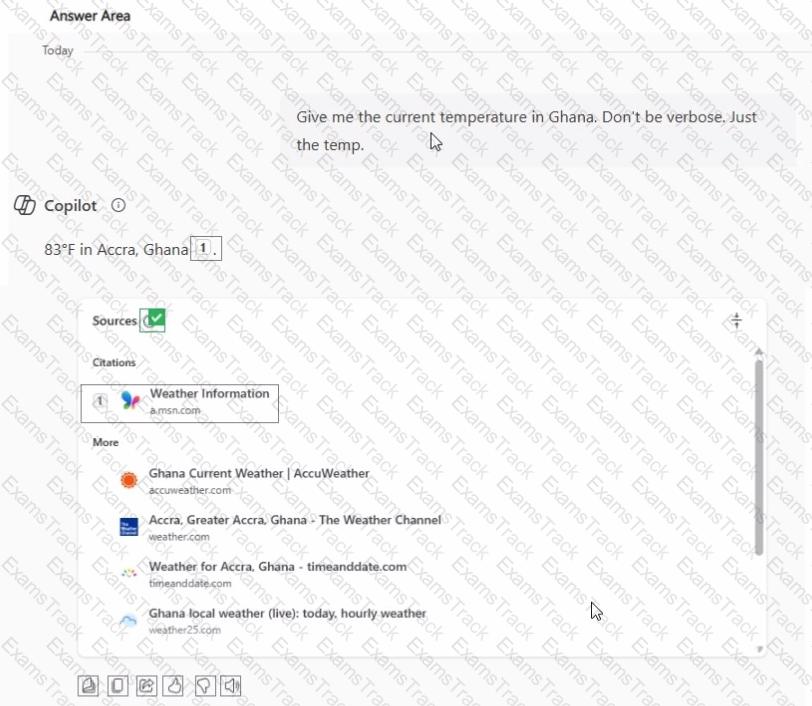
While using Microsoft 365 Copilot, content is returned from a website.
You need to verify the exact search query used to find the website.
What should you use? To answer, select the appropriate options in the answer area.
You plan to summarize a proposal for a partnership between your company and another company.
You need to use Microsoft 365 Copilot to summarize the information in the proposal as a bulleted list of three to five key points for a project kickoff meeting. Each bullet point must be concise and simply worded.
Which two details should you include in the prompt?
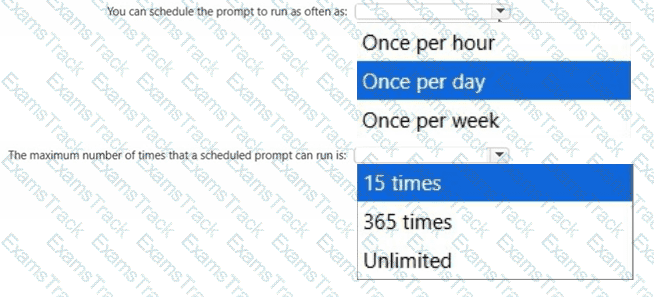
What are two limitations of prompt scheduling in Microsoft 365 Copilot? To answer, select the appropriate options in the answer area.
NOTE: Each correct selection is worth one point.
You have a Microsoft 365 subscription.
You do NOT have a Microsoft 365 Copilot license.
When you send a prompt in Microsoft 365 Copilot Chat, which three sources does Copilot Chat use to respond? Each correct answer presents part of the solution.
NOTE: Each correct selection is worth one point.
You use the Researcher agent in Microsoft 365 Copilot to generate a report.
What can you use to verify whether the report was generated by using valid sources?
You need to access Microsoft 365 Copilot from a web browser. Which URL should you use?
You have a Microsoft 365 Copilot license.
You plan to run several prompts.
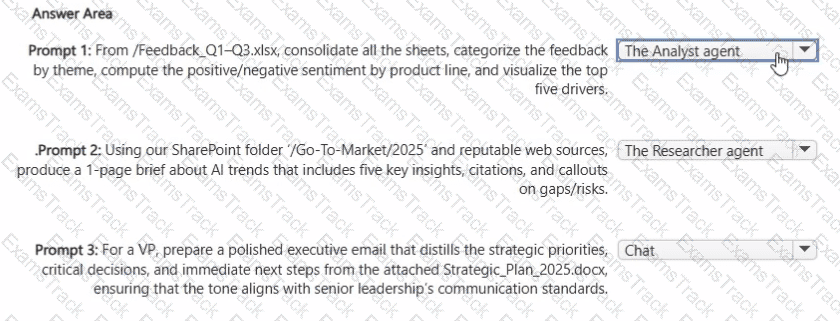
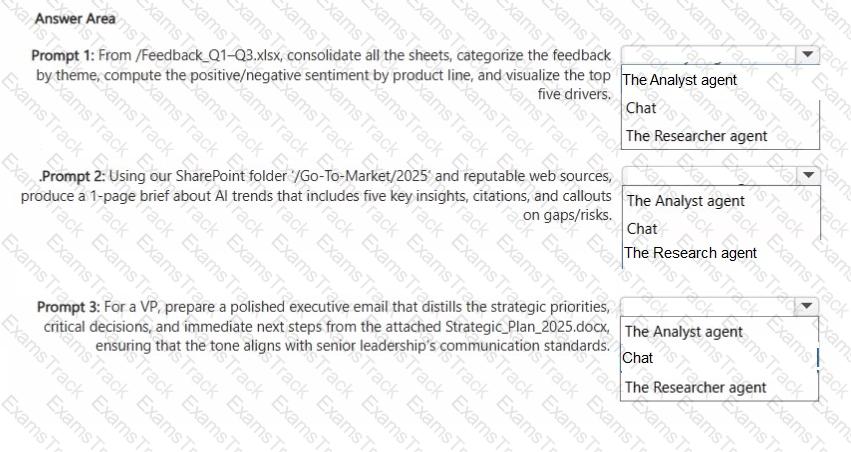
What should you use to ensure that Copilot generates the best response for each prompt? More than one answer choice may achieve the goal. To answer, select the Best options in the answer area.
NOTE: Each correct selection is worth one point.
You have a Microsoft Excel workbook open that contains a table. The table contains sales data and the following columns:
• OrderDate
• OrderNumber
• Amount
You plan to use Microsoft Copilot in Excel to generate a monthly summary of the sales data in the table.
What should you include in the prompt to generate an effective summary? More than one answer choice may achieve the goal. Select the BEST answer.
|
PDF + Testing Engine
|
|---|
|
$43.75 |
|
Testing Engine
|
|---|
|
$33.75 |
|
PDF (Q&A)
|
|---|
|
$28.75 |
Microsoft Free Exams |
|---|

|

Copyright © 2026 Examstrack. All Rights Reserved

TESTED 11 Oct 2026