examstrack logo

You have created custom error messages for a form. When a user attempts to submit the form with invalid data, the data must remain in the form and error messages must be displayed. Which Event property or method should you use?
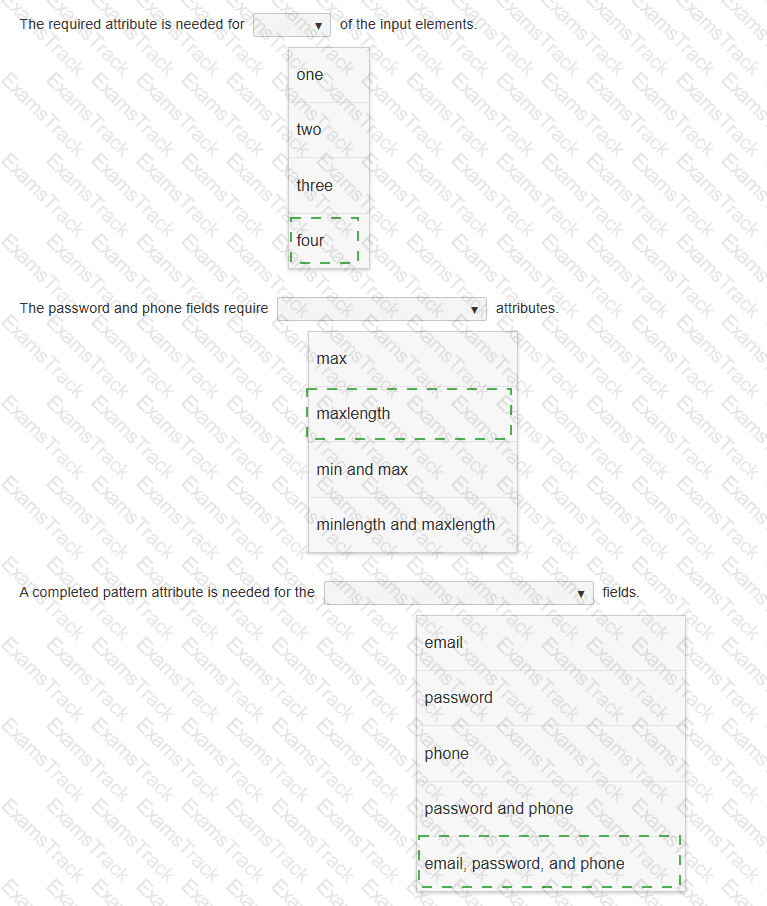
The following form is missing validation attributes:
< form >
< div class= " container " >
< h1 > Register Here < /h1 >
< p > Please fill in the details to create an account with us. < /p >
< hr >
< label for= " ? " > < b > Enter Email < /b > < /label >
< input type= " ? " placeholder= " Enter Email " name= " ? " placeholder= " username@domain.com " >
< label for= " ? " > < b > Password < /b > < /label >
< input type= " ? " placeholder= " Enter Password " name= " ? " >
< label for= " ? " > < b > Confirm Password < /b > < /label >
< input type= " ? " placeholder= " Confirm Password " name= " ? " >
< label for= " phone " > < b > Phone < /b > < /label >
< input type= " tel " id= " phone " name= " phone " placeholder= " 123-45-678 " >
< hr >
< p > By creating an account you agree to our < a href= " # " > Terms & Privacy < /a > . < /p >
< button type= " submit " class= " registerbtn " > < strong > Register < /strong > < /button >
< /div >
< /form >
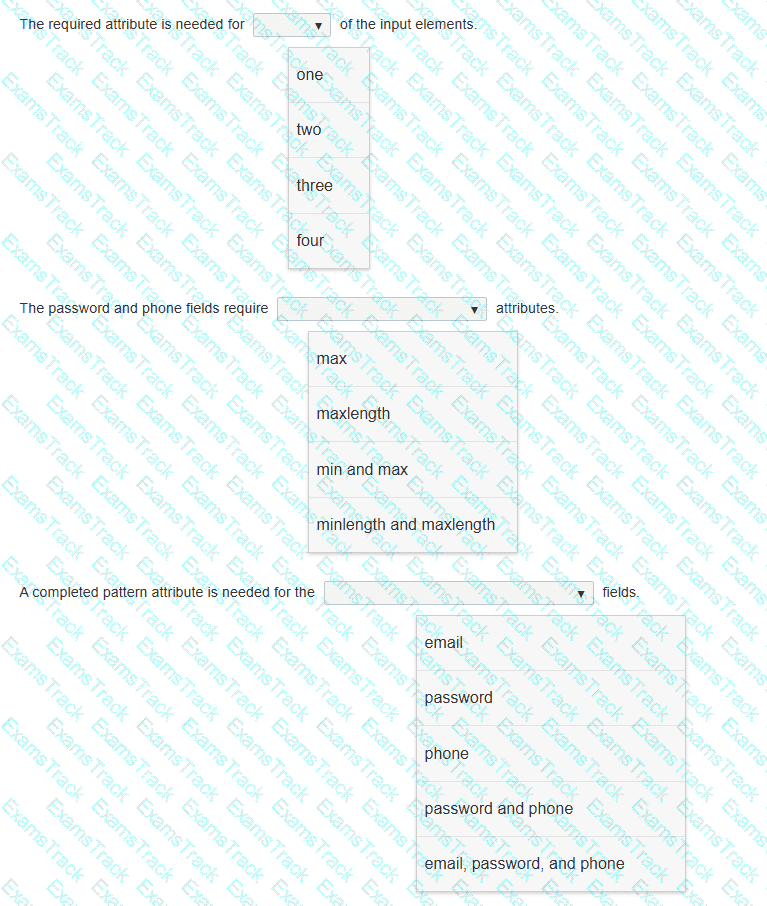
You need to update the form to enforce the following requirements for visitors:
• All fields must be completed with valid information.
• The users should not be allowed to type passwords longer than 8 characters.
• Passwords must use only numbers and letters.
• Phone numbers and email addresses must follow the configuration of the placeholder text.
• The browser must display an error message that makes it clear what type of input change is needed.
Review the markup on the left.
Complete the sentences by selecting the correct option from each drop-down list.
Note: You will receive partial credit for each correct selection.
You are drawing on the canvas defined by the white square.
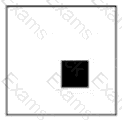
At which x, y coordinate is the upper-left corner of the filled square?
You write the following JavaScript code. Line numbers are included for reference only.
01 < script >
02
03 beststudent = new Student( " David " , " Hamilton " );
04 document.write(beststudent.fullname + " is registered. " );
05 < /script >
You need to write a function that will initialize and encapsulate the member variable fullname.
Which code fragment could you insert at line 02 to achieve this goal?
Note: Each correct answer presents a complete solution.
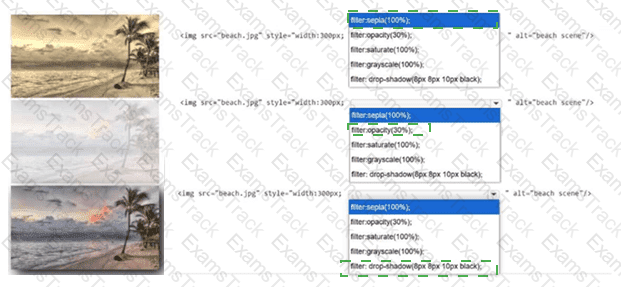
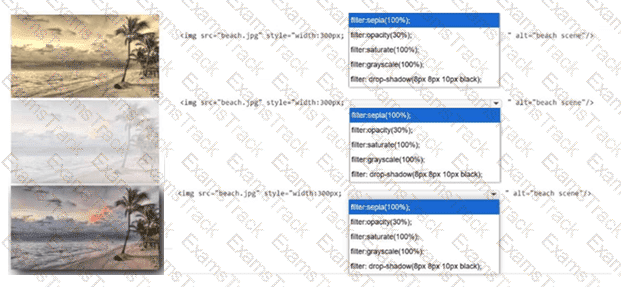
Identify the filter applied to each image.
Complete the markup by selecting the correct option from each drop-down list.
Note: You will receive partial credit for each correct selection.
You need to contain overflowing text inside the element ' s border without creating unneeded scrollbars or losing text. Which attribute setting should you use?
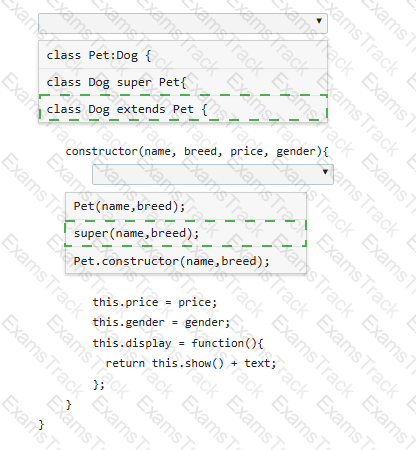
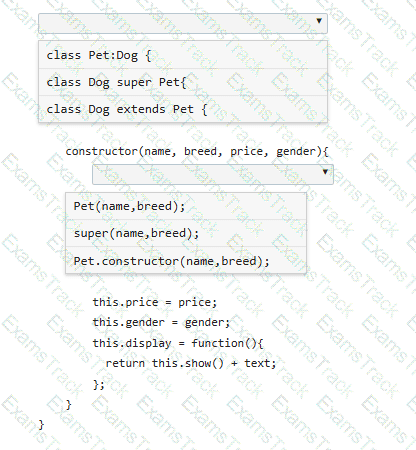
You define the Pet class as follows:
class Pet {
constructor(name, breed) {
this.name = name;
this.breed = breed;
this.show = function() {
var text = " < p > Your pet ' s name is " + name + " . The pet ' s breed is " + breed + " . < /p > " ;
return text;
};
}
}
You need to derive a Dog class from the Pet class.
Complete the code by selecting the correct option from each drop-down list.
Note: You will receive partial credit for each correct selection.
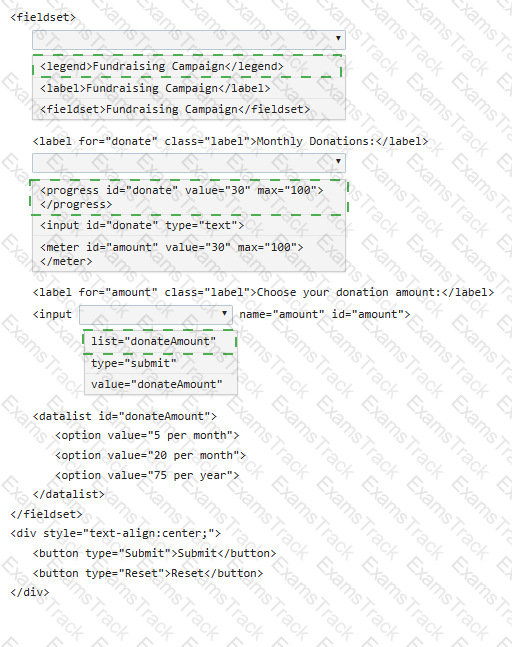
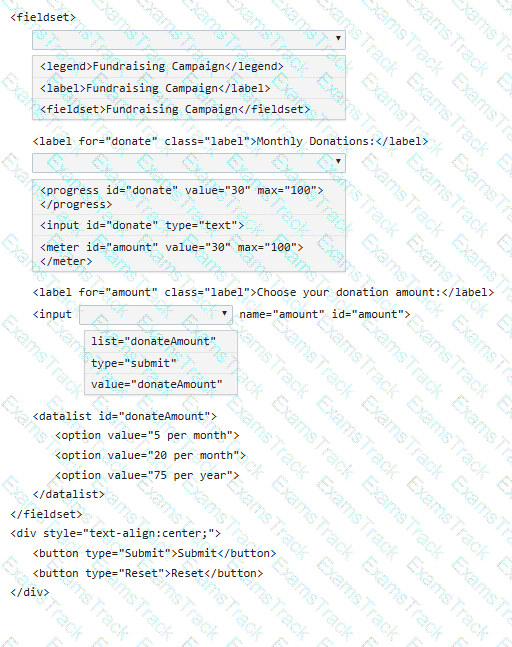
You need to create the following form:
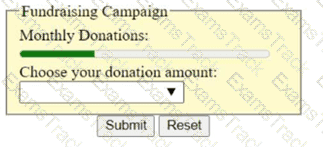
Complete the code by selecting the correct option from each drop-down list.
Which element should you use to rotate an SVG square?
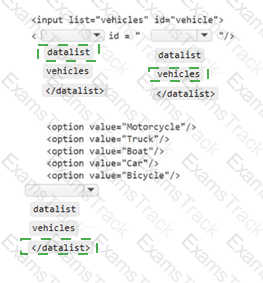
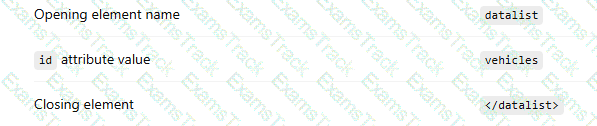
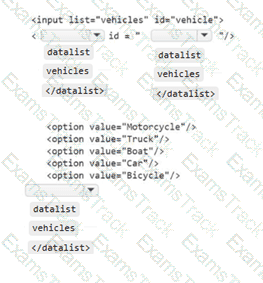
You need to display the following user interface:
A text input field that displays a selectable suggestion list containing:
Motorcycle
Truck
Boat
Car
Bicycle
|
PDF + Testing Engine
|
|---|
|
$41.25 |
|
Testing Engine
|
|---|
|
$31.25 |
|
PDF (Q&A)
|
|---|
|
$26.25 |

Copyright © 2026 Examstrack. All Rights Reserved

TESTED 05 Oct 2026